
Partiful: Party Invite Maker
PartifulLifestyle
4.91.25K Reviews
- Version
- 3.11.06
- Installs
- 500.00K
- Age Rating
- Everyone
Screenshots
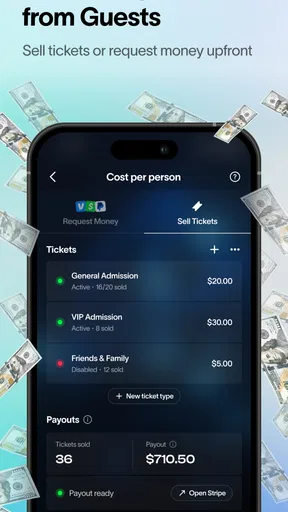
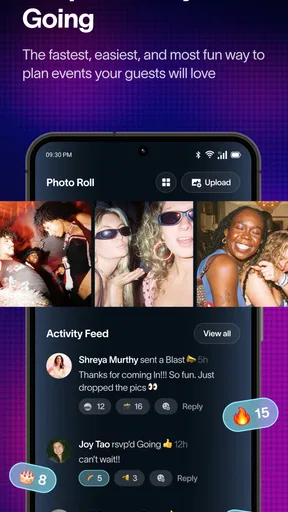
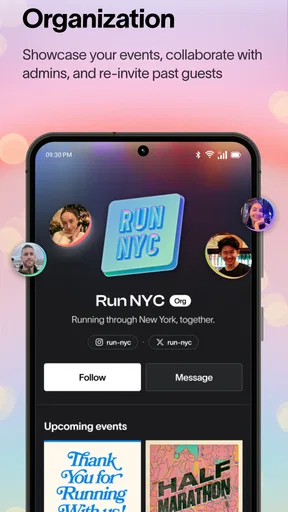
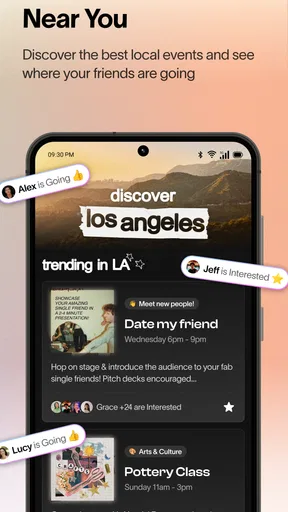
Our Review of Partiful: Party Invite Maker
 Analysis by Appyee
Planning a social event usually starts with a message that sounds simple: “Are you free this weekend?” A few replies later, the conversation can turn into a tangle of dates, addresses, guest lists, and people asking the same questions again. I tried Partiful as a way to move that process into one shared event space, and I found that its biggest strength is not merely creating an invitation. It gives the group a common place to understand what is happening and decide whether they are joining.
That makes it a particularly interesting lifestyle app for casual parties, dinners, birthdays, meetups, and other gatherings where the social side matters as much as the schedule. It is free to install, aimed at Everyone, and developed by Partiful. The app has built a strong impression among its audience, with an average rating of 4.9 from around 23 thousand ratings, while its reach has passed 500 thousand installs.
From a vague plan to a usable event
My starting point was the familiar kind of plan that normally lives in a group chat: a group of friends wants to meet, but nobody wants to become the permanent organizer. This is where Partiful makes sense. Instead of scattering the details across separate messages, I could treat the event as the main object and let the conversation form around it.
The first useful decision is to think about the event before opening the app. A small dinner, a birthday gathering, and a larger open-invitation party all need different levels of information. Partiful is most comfortable when the basic idea is already clear enough to share: what the occasion is, when it happens, and where people should go. If the plan is still only “maybe sometime next week,” creating an invite too early can produce more changes than clarity.
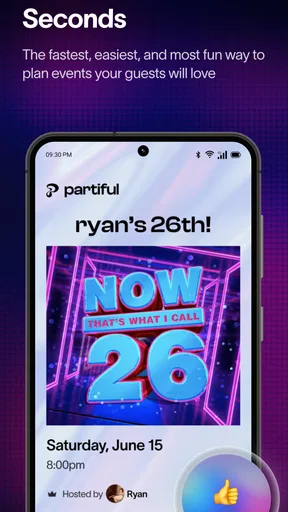
Once the plan has a shape, the app’s appeal becomes obvious. The invitation is more than a decorative announcement. It acts as a reference point that guests can return to instead of searching through a long conversation. That distinction is important because social planning often fails through small misunderstandings rather than one major mistake. Someone misses a changed time, another person forgets the address, and a third assumes that “everyone” includes them.
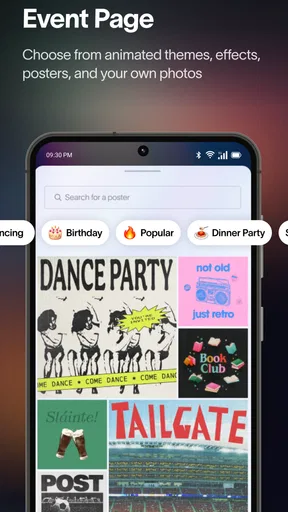
I also like that the experience feels suited to informal events rather than formal registration. You do not need to approach a relaxed gathering as if you were managing a conference. The tone can stay personal, and that helps the invitation feel like part of the occasion instead of an administrative task.
Building the invite without overcomplicating it
My advice is to enter only the information guests genuinely need first. A clear event name, a definite time, and a location give people enough to make an initial decision. Extra explanation can be added when it helps, but a crowded invitation can make a simple plan feel demanding.
This is one of the less obvious skills involved in using the app well: the quality of the invite depends more on the organizer’s clarity than on how much information is added. If the dress expectation, arrival window, or bring-your-own arrangement matters, say so plainly. If it does not matter, leaving it out keeps the event approachable.
For a birthday, I would write the practical details as if a friend were asking me directly. For a casual meetup, I would avoid making guests decode a theme or a long paragraph. Partiful works best when the invite answers likely questions before they become interruptions, but does not try to predict every possible question.
The app is currently listed as version 3.8.21 and supports Android 7.0 or later. That gives it a reasonably broad technical reach for people using older Android devices, although the actual comfort of the experience will still depend on the phone and operating system in use. If you are organizing a mixed group, it is worth remembering that an event is only as convenient as the guests’ ability to access and understand it.
Sharing is the first important handoff
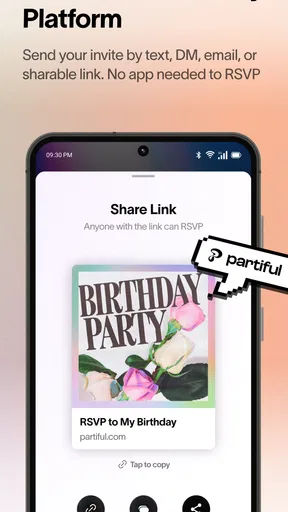
Creating the event is only half the job. The next handoff is from organizer to guest, and this is where many event tools become awkward. A good invite needs to be easy to pass along without making the recipient wonder whether they are expected to perform another setup process before seeing the plan.
Before sharing, I would check the event from the guest’s point of view. Is the time immediately visible? Is the location understandable without a private explanation? Does the wording make it clear whether the invitation is personal or intended to be shared? These checks sound basic, but they prevent the organizer from relying on background knowledge that guests do not have.
This is also where Partiful can be preferable to a standard group chat. A chat is excellent for spontaneous discussion, but important details quickly disappear beneath reactions and side conversations. A dedicated event page gives the plan a stable home. On the other hand, a chat can be better when the group is already small, everyone is highly responsive, and the event has no need for a separate invitation layer.
For a larger gathering, I would share the invite in stages rather than sending it everywhere at once. Start with the people whose attendance affects the plan, then widen the circle once the basic shape is confirmed. That workflow reduces the chance of inviting more people than the space, food, or host can comfortably handle.
What guests need from the event space
From the guest side, the important question is not whether the invitation looks polished. It is whether the event reduces uncertainty. A guest wants to know what they are being invited to, when to arrive, where to go, and whether their response has been recorded correctly.
That is why I see the app as more useful for coordination than for simple announcement. An announcement can be a poster or a social post. Coordination needs a shared destination where the event remains recognizable after the original message has been buried.
There is a practical trade-off here. Moving a plan into a dedicated app can make it cleaner, but it also introduces one more place for people to check. Some friends will appreciate having an organized invite; others will still reply with “What time again?” even when the answer is available. The organizer should be ready to repeat the key detail without treating the app as a substitute for ordinary communication.
For guests who are not comfortable with new apps, the invitation may feel like a small barrier compared with receiving a normal text. That does not make Partiful a poor choice, but it does mean the audience matters. It is a better fit for groups willing to use a shared event tool than for a circle that avoids anything beyond familiar messaging.
Managing replies and changes
The next handoff is between the guest’s response and the organizer’s decisions. This is where a planning tool earns its place. Once people begin responding, the host can make more informed choices about food, seating, transport, or the size of the venue.
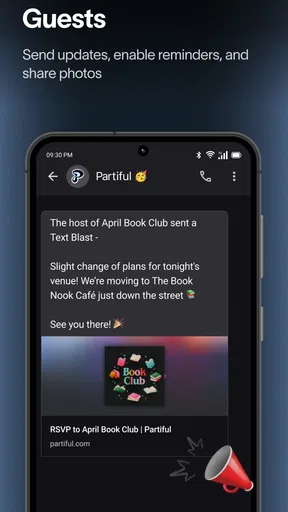
I would not treat an early response as permanent. Social plans change, and a guest who says yes may later become uncertain. The useful habit is to use the event as the current source of truth, then communicate important changes in plain language as well. If the time moves, do not assume that updating the event alone will reach everyone’s attention at the right moment.
A strong workflow is to make changes in one place first, then send a short explanation to the people most affected. That avoids the opposite problem, where the event says one thing and the chat says another. The app can centralize the plan, but the organizer still has responsibility for making changes visible.
This is one of the app’s real limitations: no event tool can remove the human work of follow-up. Partiful can reduce repeated questions and give the group a clearer reference, but it cannot guarantee that every guest reads every update or responds promptly. If your event depends on exact headcounts, you still need to monitor replies rather than assuming the list will manage itself.
A realistic evening with Partiful
Imagine I am arranging a birthday gathering at home. I begin with a guest list that is slightly larger than the number of people I can comfortably host, so I need a clear response before buying food. I create the event with the date, arrival time, location, and a short note explaining that the gathering is casual.
I then share the invite with the core group. A few guests respond quickly, while others need a reminder. Instead of answering separate messages about the time, I point people back to the event. When the headcount becomes clearer, I decide how much food to prepare and whether I need extra seating.
On the day before the gathering, I review the event details and send a concise reminder about the arrival time. One friend asks whether bringing someone else is acceptable. That question reveals a point I should have addressed earlier: the invitation should explain whether additional guests are expected or need approval. I update the wording for clarity and answer the friend directly.
The result is not a magically effortless party. I still shop, clean, answer messages, and make decisions. The improvement is that the event itself carries the repeated information, while the conversation can focus on exceptions and personal questions. That is a meaningful difference from a group chat where every detail competes with jokes, photos, and unrelated plans.
Where the workflow breaks down
Partiful is not the right choice for every kind of gathering. If you are arranging a meeting that requires detailed agendas, formal attendance records, document sharing, or complex scheduling, a calendar and collaboration tool will probably be stronger. If the event is so spontaneous that everyone is already standing together, creating an invite may add unnecessary work.
It can also be a questionable fit when guests are spread across different communication habits. A few people may use the event page, others may rely on text messages, and someone else may expect a calendar entry. The organizer then has to bridge those habits manually. The app improves structure, but structure only helps when the group accepts it.
Another friction point is the difference between an invitation and a full event-management system. Partiful is designed around social planning, so I would not choose it expecting the depth of a professional ticketing or conference platform. Its simplicity is part of the appeal, but simplicity also means fewer reasons to use it for highly formal events.
There are optional in-app purchases ranging from about two dollars to roughly ten dollars per item. For someone who only wants to organize occasional gatherings, that makes it sensible to understand which parts of the experience are essential before spending anything. The app’s free availability is enough to make trying it low-risk, but optional purchases should be judged against the actual needs of the event rather than treated as automatically necessary.
Small habits that make the app work better
My first practical tip is to write the invitation for a person who knows nothing about the plan. Organizers often omit the one detail that feels obvious to them, such as whether guests should arrive at the stated time or whether the location has a difficult entrance. A short, concrete note can prevent a surprising amount of back-and-forth.
Second, separate confirmed information from flexible information. If the date is firm but the end time is not, say that clearly. If the venue might change, avoid presenting it as final until the decision is made. This protects trust: guests can handle uncertainty more easily when it is labeled honestly.
Third, use the event as the central record, but use direct messages for sensitive or individual matters. A public event space is useful for shared logistics; it is not the right place for every personal explanation. This division keeps the main invite readable and prevents private circumstances from becoming part of the general plan.
Fourth, review the invite after sharing it. The organizer sees the plan through the lens of creation, while guests experience it as a request for action. Looking at the wording again after the first replies often exposes missing details, confusing timing, or an assumption that made sense only inside the organizer’s head.
Finally, do not over-invite simply because sharing is easy. The smoothness of distribution can create a false sense that capacity is unlimited. A smaller, well-managed event is usually better than a large invite list that leaves guests uncertain about whether they are genuinely expected.
Who will enjoy it, and who should skip it?
I would recommend Partiful to people who regularly organize birthdays, dinners, casual parties, group outings, or community-style gatherings and are tired of repeating the same details. It is especially useful when the event has enough guests that a normal chat starts becoming difficult to follow, but not so much complexity that a formal event-management platform is justified.
It is also a good match for an organizer who wants the invitation to feel more intentional than a copied message. The app gives the plan a recognizable home, which can make guests more likely to treat it as a real event rather than a vague suggestion.
I would skip it for a tiny plan that can be settled in two messages, for a formal event requiring advanced administration, or for a group that strongly resists dedicated social apps. In those cases, a calendar invite, a familiar messaging app, or a more specialized registration service may create less friction.
Privacy and social boundaries are another reason to choose carefully. Before creating a widely shared event, consider who actually needs access to the details and whether the event is intended for a close circle or a broader audience. The best workflow is not always the one that reaches the most people; it is the one that gives the right people the right information.
My final take after following the whole process
After using Partiful from the first idea through guest coordination, I see it as a focused solution to a very specific problem: turning a loose social plan into a shared event that people can understand and respond to. Its value appears gradually. The invitation itself is easy to appreciate, but the larger benefit comes from reducing the number of places where the details can get lost.
The app is free, carries an Everyone content rating, and has a strong 4.9 average from around 23 thousand ratings. Those figures suggest that its straightforward social purpose connects with many users, but popularity does not remove the need to match the tool to the event. The current version is 3.8.21, and Android users need version 7.0 or later to run it.
My honest recommendation is to use it when the gathering needs a clear center but does not need corporate-level administration. Keep the invite concise, make the important details unambiguous, monitor responses, and repeat major changes outside the event when necessary. Used that way, Partiful is a practical bridge between a casual message and a properly organized social occasion.
It will not replace good judgment, timely reminders, or a host who pays attention. What it can do is give those efforts a cleaner structure. For friends planning real-world events, that is enough to make it worth trying; for highly formal or extremely simple plans, another tool may still be the better choice.
Privacy and Permissions
See what permissions an app requests and how it handles your data.
- Calendar
- read calendar events plus confidential information, add or modify calendar events and send email to guests without owners' knowledge
- Contacts
- read your contacts, modify your contacts
- Location
- approximate location (network-based), precise location (GPS and network-based)
- Photos/Media/Files
- read the contents of your USB storage, modify or delete the contents of your USB storage
- Storage
- read the contents of your USB storage, modify or delete the contents of your USB storage
- Camera
- take pictures and videos
- Microphone
- record audio
- Wi-Fi connection information
- view Wi-Fi connections
- Other
- view network connections, full network access, run at startup, draw over other apps, control vibration, prevent device from sleeping, modify system settings
Verdict
Strengths of Partiful: Party Invite Maker
- Quickly creates stylish digital invitations for any occasion.
- Easy guest management with RSVP tracking and updates.
- Built-in event chat keeps planning conversations in one place.
- Supports sharing invitations through common messaging platforms.
- Useful reminders help guests stay informed about event details.
Limitations of Partiful: Party Invite Maker
- Some advanced customization options may require extra effort to find.
- Guests may need the app for the smoothest event experience.
- Public event discovery can raise privacy concerns for some users.
- Frequent notifications may feel excessive during busy planning periods.
- Limited usefulness if your guests prefer traditional invitations.
Similar Picks in This Category
View All
SmartThings
Samsung Electronics Co., Ltd.4.6

Google Home
Google LLC4.0

Pinterest4.2

Astrotalk - Talk to Astrologer
Astrology & Horoscope4.7

My Verizon
Verizon Consumer Group4.5

Samsung Wallet (Samsung Pay)
Samsung Electronics Co., Ltd.4.1
Frequently Asked Questions
What is Partiful: Party Invite Maker used for?
Partiful is an event-planning and invitation app designed to help you create digital party pages, invite guests, share event details, and manage responses in one place. It can be used for birthdays, dinners, house parties, concerts, fundraisers, and other gatherings. The app focuses on quick, visually appealing invitations rather than formal printed-style event cards.
Is Partiful: Party Invite Maker free to download and use?
Partiful can generally be downloaded without an upfront charge, and its main invitation and RSVP features are intended to be accessible to regular users. However, availability of certain functions, optional services, or event-related features may vary by platform, location, or future app updates. Before organizing a large event, review the current App Store or Google Play listing for any stated purchases or limitations.
Do guests need to install Partiful to view an invitation or RSVP?
One of Partiful’s convenient features is that hosts can share event invitations through a link, allowing guests to access the event page without necessarily installing the app. Depending on the invitation settings and the guest’s device, some actions may still request basic information or account-related verification. It is worth testing the shared link before sending it to everyone.
What information can I include in a Partiful event invitation?
A Partiful invitation can typically include essential details such as the event name, date, time, location, description, host information, and RSVP instructions. You can also share updates with attendees and use the event page to communicate changes. Since available customization tools may change, check the current editor to see which design, privacy, guest-list, and messaging options are offered.
Is Partiful safe and private for managing a party guest list?
Partiful provides tools intended to help hosts control event access and communicate with invited guests, but you should still be careful about what information you publish. Avoid posting sensitive details publicly, use privacy or approval settings when available, and share invitation links only with people you trust. Remember that guests may also forward links or capture screenshots of event information.
